
How to publish on Amazon KDP is one of the most frequently asked questions among aspiring authors and self-publishers. Whether you want to publish an ebook, paperback, or hardcover, Amazon Kindle Direct Publishing (KDP) allows you to publish your book without a traditional publisher and earn royalties from readers worldwide.
In this ultimate beginner’s guide, you’ll learn exactly how to publish on Amazon KDP step by step—from choosing a profitable book idea to formatting, uploading, pricing, and marketing your book successfully.
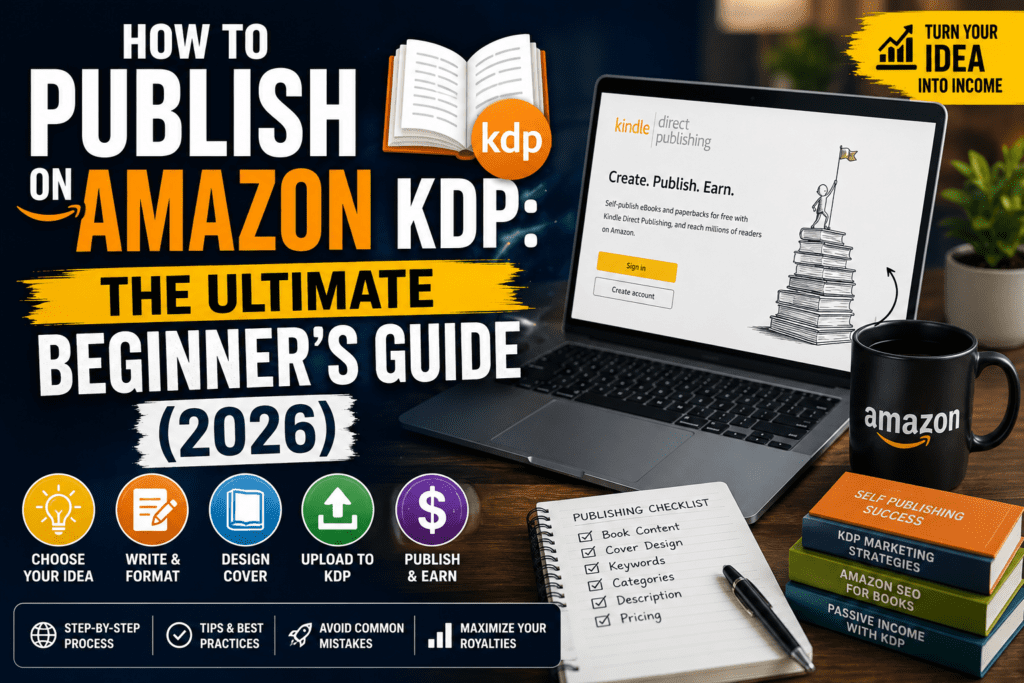
Table of Contents
What Is Amazon KDP?
Amazon Kindle Direct Publishing (KDP) is Amazon’s free self-publishing platform that enables authors to publish ebooks, paperbacks, and hardcover books.
Once your book is approved, it becomes available on Amazon marketplaces across the world, giving you access to millions of potential readers.
Benefits of Amazon KDP
- Publish books for free
- Earn up to 70% royalties on ebooks
- Print-on-demand with no inventory
- Reach readers worldwide
- Update your book anytime
- Maintain complete ownership of your work
- Build passive income through book sales
Why Choose Amazon KDP?
Amazon KDP has become the preferred publishing platform for independent authors because it is easy to use and requires no upfront publishing costs.
Some of the biggest advantages include:
- No publishing fees
- Fast approval process
- Worldwide distribution
- Monthly royalty payments
- Free ISBN for paperbacks
- Kindle Unlimited earning opportunities
- Ability to publish multiple formats
Step 1: Choose a Profitable Book Topic
Choosing the right topic is one of the most important decisions you’ll make.
Find Ideas Using
- Amazon Best Sellers
- Amazon Search Suggestions
- Google Trends
- Publisher Rocket
- Reader reviews
- Reddit communities
- Quora questions
Choose a Topic That
- Solves a problem
- Has consistent demand
- Faces manageable competition
- Matches your expertise or interests
Pro Tip: Don’t write the book you want to write. Write the book readers are already searching for.
Step 2: Write Your Book
There are three common ways to create your manuscript.
Option 1: Write It Yourself
Best for authors with subject expertise.
Estimated Time:
2–8 weeks
Option 2: Use AI Writing Tools
Popular AI tools include:
- ChatGPT
- Claude AI
- Gemini
- Sudowrite
Estimated Time:
3–7 days
Remember to edit, fact-check, and personalize AI-generated content before publishing.
Option 3: Hire a Ghostwriter
Ideal for entrepreneurs and publishers building multiple books.
Typical Cost:
- $500–$5,000+
Recommended Length
| Format | Recommendation |
|---|---|
| Ebook | 10,000–30,000 words |
| Paperback | 100–250 pages |
| Hardcover | 120+ pages |
Step 3: Format Your Manuscript
Professional formatting improves readability and reduces publishing errors.
Free Tools
- Microsoft Word
- Google Docs
- Kindle Create
- Reedsy Book Editor
Premium Tools
- Atticus
- Vellum
- Adobe InDesign
Before uploading, check:
- Consistent fonts
- Proper headings
- Page breaks
- Clickable Table of Contents (ebooks)
- Correct margins
- High-quality images
Step 4: Design a Professional Book Cover
Your cover is often the first thing potential readers notice.
Free Design Tools
- Canva
- Adobe Express
Professional Designers
- Fiverr
- Reedsy Marketplace
- 99designs
Book Cover Tips
- Use bold typography
- Keep the design simple
- Match your genre
- Use high-resolution images
- Ensure readability at thumbnail size
Step 5: Create Your Amazon KDP Account
Visit:
Then:
- Sign in with your Amazon account.
- Complete your publisher profile.
- Add your payment details.
- Complete tax information.
- Verify your identity.
Non-US publishers should complete the W-8BEN tax form where applicable.
Step 6: Upload Your Book to Amazon KDP
Inside your KDP dashboard:
Create a New Title
Choose:
- Kindle Ebook
- Paperback
- Hardcover
Enter Book Details
Include:
- Title
- Subtitle
- Author Name
- Description
- Keywords
- Categories
Upload
- Manuscript
- Cover
Preview
Check every page before publishing.
Set Pricing
Choose royalty option and marketplace pricing.
Finally, click Publish.
Approval usually takes 24–72 hours.
Step 7: Price Your Book
Ebook Pricing
| Price | Purpose |
|---|---|
| $0.99 | Promotions |
| $2.99 | Minimum for 70% royalty |
| $4.99–$9.99 | Most popular range |
| $9.99+ | Premium books |
Paperback Pricing
- Calculate printing cost
- Compare competitors
- Leave a healthy profit margin
Step 8: Optimize Your Book for Amazon Search
Publishing your book is only half the job.
You also need readers to find it.
Keyword Research
Use:
- Amazon Search
- Publisher Rocket
- Helium 10
Categories
Choose categories with:
- Lower competition
- Relevant audience
- Higher ranking opportunities
Book Description Tips
- Start with a hook
- Highlight benefits
- Use bullet points
- End with a call to action
Step 9: Publish and Market Your Book
Marketing is what generates consistent sales.
Free Marketing
- Email newsletter
- ARC reviews
- Author website
Paid Marketing
- Amazon Ads
- Facebook Ads
- BookBub
- Google Ads
Step 10: Track Sales and Improve Results
Successful authors continuously optimize their books.
Monitor:
- Sales
- Royalties
- Reviews
- Keywords
- Advertising campaigns
- Conversion rates
Update your metadata whenever needed.
Common Amazon KDP Mistakes to Avoid
Many beginners make these mistakes:
- Publishing without keyword research
- Poor-quality book covers
- Weak book descriptions
- Wrong categories
- No proofreading
- Pricing too high
- Ignoring reviews
- Publishing only one book
Amazon KDP Publishing Checklist
Before clicking Publish, confirm that you have:
✅ Edited manuscript
✅ Professional cover
✅ Optimized title
✅ Strong subtitle
✅ SEO-friendly description
✅ Seven researched keywords
✅ Correct categories
✅ ISBN (if needed)
✅ Previewed every page
✅ Pricing checked
How Much Can You Earn on Amazon KDP?
Income depends on your niche, book quality, marketing, and catalog size.
Typical Earnings
| Time | Estimated Income |
|---|---|
| First 3 Months | $0–$100 |
| 4–6 Months | $100–$500 |
| 6–12 Months | $500–$2,000+ |
| Year 2+ | $2,000–$10,000+ |
Many successful publishers generate consistent income by publishing multiple books rather than relying on a single title.
Frequently Asked Questions
Is Amazon KDP free?
Yes. Publishing on Amazon KDP is completely free.
How long does Amazon KDP take to publish?
Most ebooks are approved within 24–72 hours.
Paperbacks usually take 3–5 business days.
Can I publish on Amazon KDP from India?
Yes. Authors from India and many other countries can publish on Amazon KDP and receive royalties.
Do I need an ISBN?
Ebooks do not require an ISBN because Amazon assigns an ASIN.
Paperbacks can use Amazon’s free ISBN or your own.
Can I publish both ebook and paperback?
Yes. Amazon KDP supports ebook, paperback, and hardcover publishing.
How many books should I publish?
Most successful KDP publishers build a catalog of multiple books. Publishing consistently improves your chances of generating long-term royalty income.
Final Thoughts
Learning how to publish on Amazon KDP is one of the best skills you can develop if you want to become a self-published author or build an online publishing business.
Your first book may not become a bestseller overnight, but every book you publish teaches you something valuable. Focus on creating high-quality content, optimizing your book listing, and publishing consistently.
The authors who succeed on Amazon KDP are usually the ones who keep learning, improving, and expanding their catalog over time.
Ready to Publish Your First Book?
Create your Amazon KDP account, start writing, and publish your first book today. Every successful self-publisher started with a single book—and yours could be next.
Need help with writing, formatting, cover design, or publishing? Explore more tutorials on KDPWithAI.com and accelerate your self-publishing journey.
Pingback: Best AI Writing Tools for KDP Authors in 2026 (Tried & Tested)
Pingback: KDP Keyword Research: The Complete Guide for Self-Publishers (2026)
Pingback: KDP Select vs Wide Distribution (2026): Which Strategy Is Better for More Book Sales?
Pingback: Amazon KDP Account Setup Checklist (2026): Complete Guide for Beginners