
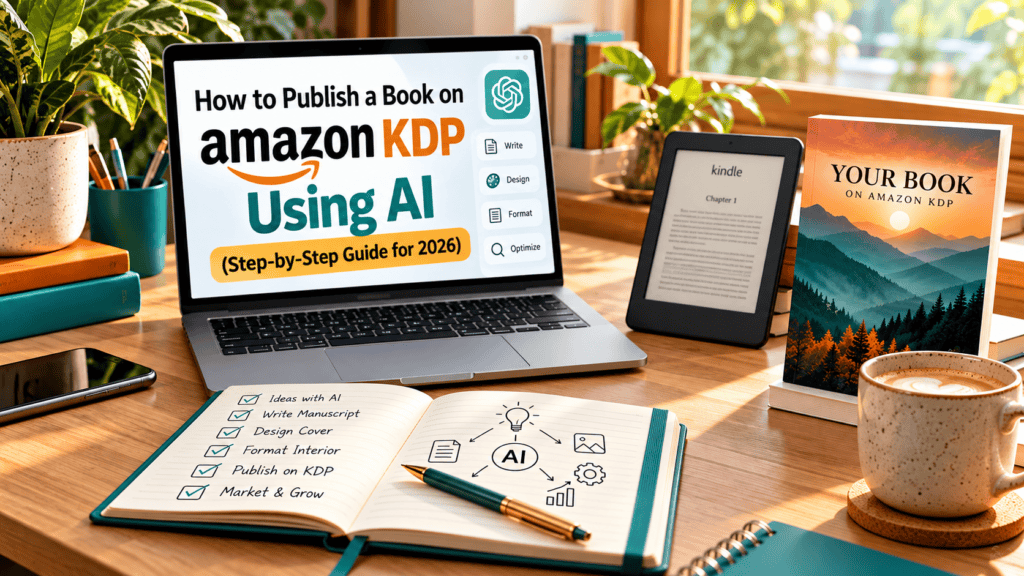
Publish a book on Amazon KDP using AI by letting the tools handle brainstorming, outlining, drafting and design, while you follow KDP’s content rules, disclose AI-generated content when you upload, and add real human editing and quality control. This guide walks you through the full process, from idea to live listing.
Table of Contents
- Understand Amazon’s AI content rules first
- Step 1: Pick and validate a niche
- Step 2: Build the outline with AI
- Step 3: Draft the manuscript
- Step 4: Edit, fact-check and humanize
- Step 5: Create the cover
- Step 6: Format for Kindle and paperback
- Step 7: Upload to KDP and set pricing
- Step 8: Optimize keywords and categories
- Mistakes that get AI books rejected or ignored
- FAQ
Understand Amazon’s AI Content Rules First
Before you write a single word, know where the line is. Amazon KDP separates content into two groups:
- AI-generated content: text, images or translations created by an AI tool, even if you edited them afterward. KDP asks you to tell it about this when you publish.
- AI-assisted content: you wrote or created the work yourself and used AI to edit, refine, brainstorm or check it. KDP does not require you to disclose this.
The disclosure is for Amazon only. It does not appear on your book’s product page. Policies change, so always confirm the current wording in the official KDP Help pages (search “KDP content guidelines” and “AI-generated content”) before you publish. Amazon also limits how many new titles you can publish per day, so mass-producing low-effort books is a quick way to attract attention from the wrong people.
Step 1: Pick and Validate a Niche
AI can write fast, but it cannot tell you whether anyone wants the book. Start with demand:
- Type seed phrases into the Amazon search bar and note the autocomplete suggestions. Those come from real shopper behavior.
- Open the top results and check reviews, publication dates and Best Sellers Rank (BSR). A niche where several recent books have steady reviews and decent rank usually has real demand.
- Look for a gap: outdated books, poor covers, weak descriptions or a missing angle you can own.
If you want a complete method, read our guide on how to choose a profitable KDP niche.
Step 2: Build the Outline With AI
Outlining is where AI is most useful and least risky. Give the tool context instead of a one-line request. A strong prompt includes the reader, the problem, the promised result, the tone and the length.
Example prompt:
“I’m writing a 25,000-word beginner’s guide for busy parents who want to start meal prepping. Create a chapter-by-chapter outline with a clear promise for each chapter, 3 to 5 key points per chapter, and one practical exercise at the end of each.”
Then challenge the result. Ask the AI what is missing, which chapters overlap, and what readers in this niche usually complain about in reviews. Merge that with what you saw in your competitor research.
Step 3: Draft the Manuscript
The best workflow is section by section, not “write my whole book.” For each section:
- Give the AI the outline, the section goal and your style notes.
- Add your own material: examples, stories, data, opinions and screenshots.
- Generate a draft, then rewrite weak paragraphs in your own voice.
- Save a style guide (tone, banned phrases, reading level) and reuse it for consistency.
Books built from raw AI output tend to feel generic, repeat themselves and attract poor reviews. Books built from your expertise with AI doing the heavy lifting on structure and first drafts feel noticeably better.
Step 4: Edit, Fact-Check and Humanize
This step separates sellable books from refund requests. Plan for at least two passes:
- Accuracy pass: verify every statistic, name, date, legal or medical claim. AI can state wrong facts with total confidence.
- Voice pass: remove repetitive phrasing, filler openings and over-polished transitions. Read the book aloud.
- Proofreading pass: use a grammar tool, then a human reader if your budget allows.
Also check for copyright problems. Never publish text, images or lyrics you do not have the right to use.
Step 5: Create the Cover
Your cover is your first sales pitch, and it has to work as a small thumbnail. Study the top books in your niche and match the genre signals (colors, fonts, layout) while still standing out.
- Use a cover designer, a template tool or AI-generated artwork combined with proper typography.
- If you use AI-generated images, remember they fall under KDP’s AI disclosure.
- Use KDP’s cover calculator to get exact dimensions for paperback and hardcover, since page count and paper type change the spine width.
Step 6: Format for Kindle and Paperback
- Ebook: use Kindle Create or a clean EPUB/DOCX file with a linked table of contents.
- Paperback and hardcover: set the trim size, margins and bleed to match KDP’s templates, and embed fonts when you export to PDF.
- Preview your book in KDP’s online previewer before you hit publish. Check images, page breaks and the table of contents on both phone and tablet views.
Step 7: Upload to KDP and Set Pricing
- Sign in to your KDP account and complete the tax interview and payment details.
- Go to your Bookshelf and choose Create, then select Kindle eBook, Paperback or Hardcover.
- Fill in the title, subtitle, author name, description, keywords and categories.
- Answer the AI-generated content question honestly.
- Upload your manuscript and cover, then review the preview.
- Set your territories, pricing and royalty plan.
On ebooks, KDP offers 35% and 70% royalty options, and the 70% option applies within a specific price range with delivery costs deducted. Paperbacks earn a percentage of list price minus printing costs. Check the current royalty tables in KDP Help and use the built-in printing cost calculator before you settle on a price. For a deeper look at earnings, see Is KDP still worth it?
You also choose between exclusivity through KDP Select (which includes Kindle Unlimited) and publishing wide. Select requires ebook exclusivity for a set enrollment period, so decide based on your strategy.
Want the whole process in one place? From Idea to Income: The Complete KDP Self-Publishing Guide walks through KDP publishing from start to finish.
Step 8: Optimize Keywords and Categories
Discoverability is where most new authors lose. KDP gives you seven keyword slots and lets you pick categories at upload.
- Use phrases real shoppers type, not single generic words.
- Do not repeat words already in your title or subtitle. Amazon already indexes them.
- Write a description that opens with the reader’s problem, uses short paragraphs and ends with a clear call to action. Basic HTML formatting works in the description box.
- Choose categories that fit the book and have manageable competition.
- Consider A+ Content to strengthen your listing once your account is eligible.
Your title carries a lot of weight in Amazon search, so it is worth getting right. The KDP Title Secrets guide covers how to write titles that rank higher and sell more books.
Need help with this part? Our KDP metadata SEO service covers keywords, categories and descriptions.
Mistakes That Get AI Books Rejected or Ignored
- Skipping disclosure: answer the AI question accurately every time.
- Publishing raw output: repetitive, shallow text earns bad reviews fast.
- Using copyrighted or trademarked material: avoid brand names, characters and borrowed text.
- Ignoring the niche research: a well-written book nobody searches for will not sell.
- Weak cover and description: these decide whether a click becomes a sale.
- No plan after launch: reviews, ads and updates matter more than the first week.
Frequently Asked Questions
Can I publish an AI-written book on Amazon KDP?
Yes, as long as the book meets KDP’s content guidelines and you disclose AI-generated content during upload. Books must still be original, useful and free of copyright violations.
Do I have to tell Amazon I used AI?
You must disclose AI-generated text, images or translations. If you only used AI to brainstorm or to edit work you wrote yourself, disclosure is not required. Check the current KDP Help page for the exact definitions.
Will my book be rejected because I used AI?
Not automatically. Books are reviewed against content and quality guidelines, and low-quality, misleading or infringing books are the ones that get flagged or removed.
What is the best AI tool for writing a KDP book?
Several general-purpose AI assistants work well for outlining and drafting. The tool matters less than your prompts, your own expertise and how thoroughly you edit.
How long does it take to publish a book on KDP?
Writing and editing take the longest. Once you upload, KDP typically reviews a book within about 72 hours, and ebooks often go live sooner.
Final Thoughts on How to Publish a Book on Amazon KDP Using AI
AI makes the process of publishing on Amazon KDP faster, but it does not replace strategy. The authors who win combine solid niche research, genuine expertise, careful editing and a polished listing. If you want expert help with any stage, from research to metadata to cover design, get in touch with KDP With AI.